Beam sends check-ins on your schedule, reminds anyone who hasn’t answered, and shows you in one view which goals and people need your attention.
Before Beam, Family’s leadership held two to three meetings a week just to follow up on performance.

Write your own questions or pick from Beam’s question library, then add a goal reflection or a quick mood pulse.

Send it to everyone, to groups or to named people, and leave anyone out. Daily, weekly, every two weeks, monthly or once, in each person’s own time zone.

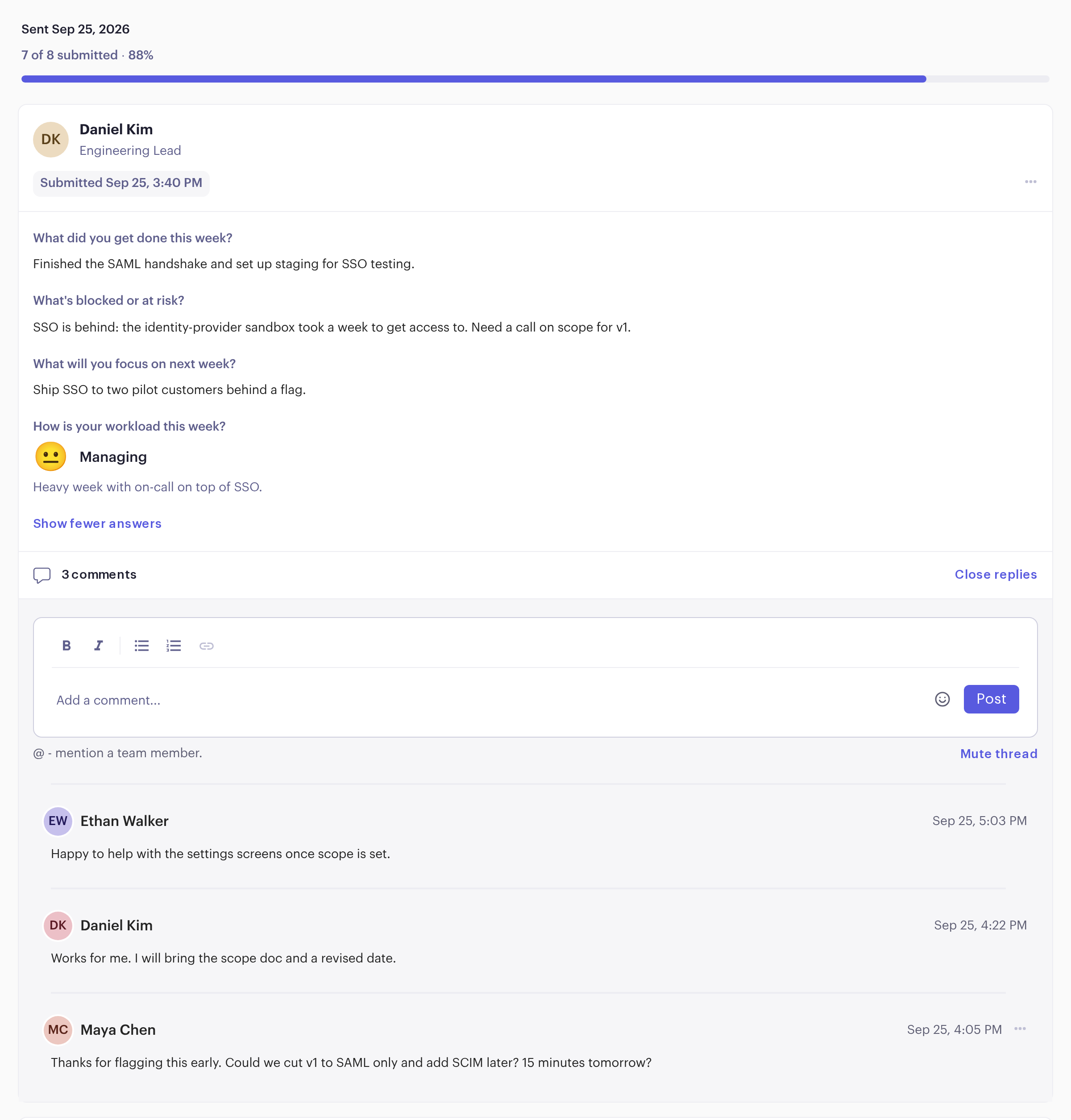
Public check-ins land in a team feed where people comment and build on each other’s answers. See who hasn’t answered and send a reminder.
Public check-ins land in a team feed. Anyone can reply, so a blocker gets an answer in writing instead of waiting for the next meeting.
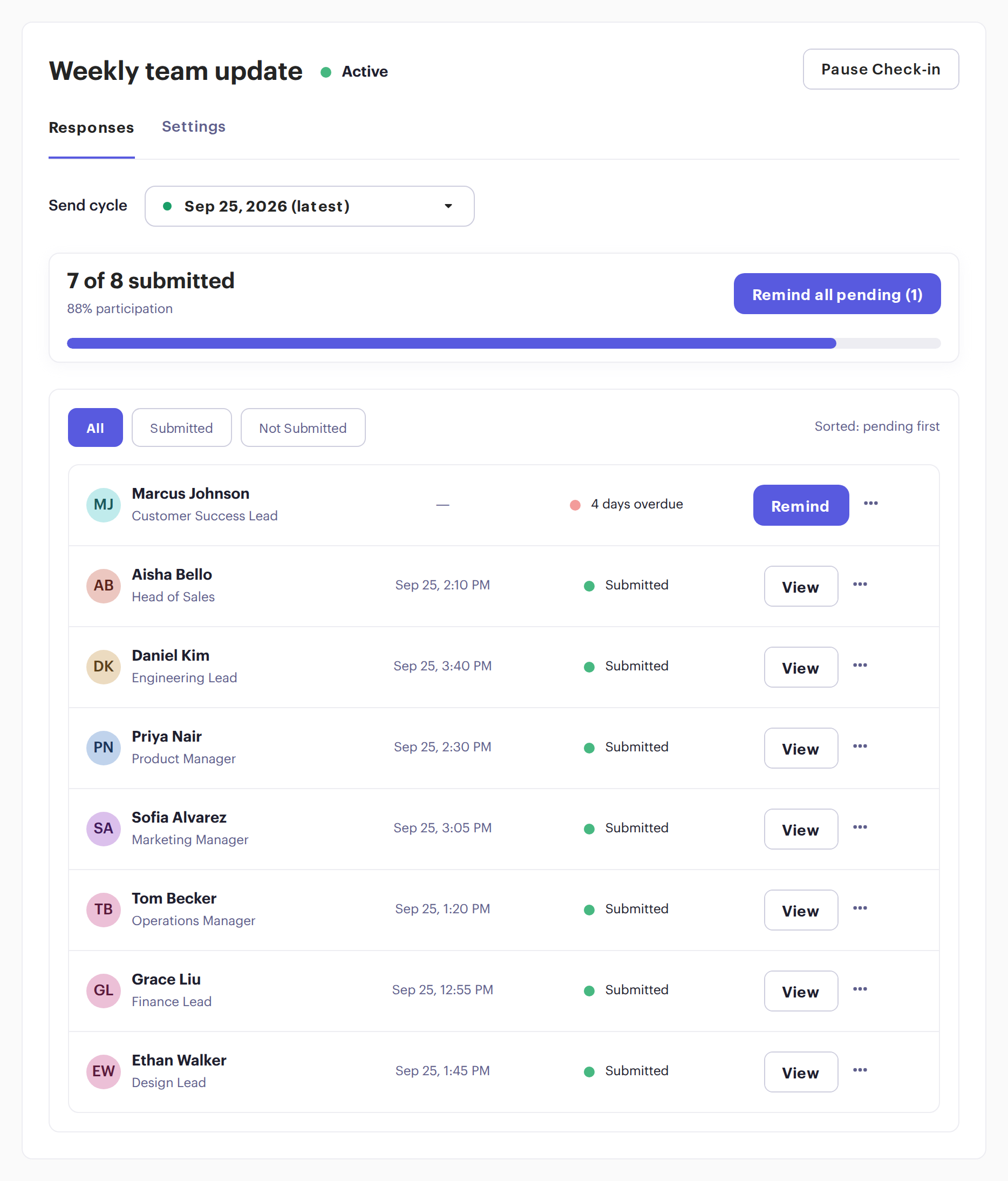
Every send shows who has submitted and who is still pending. Remind one person, or everyone pending at once.
Pick questions from Beam’s question library or write your own. Then choose who gets it and how often.
Write your questions once, for example: what got done, what’s blocked, what’s next. Answers land in the team feed every week.


A few short questions on the days you choose, instead of a meeting.

Start from ready-made questions on well-being, motivation and culture. Results show only as a combined view.

Every two weeks, people write a short update on each of their goals.

Send it only to the people on one project or group, and leave everyone else out.
The Overview turns every check-in, goal and piece of feedback into a single view of your team: whose goal is behind, whose check-in is outstanding, and who hasn’t had feedback this quarter.
See the Manager Overview →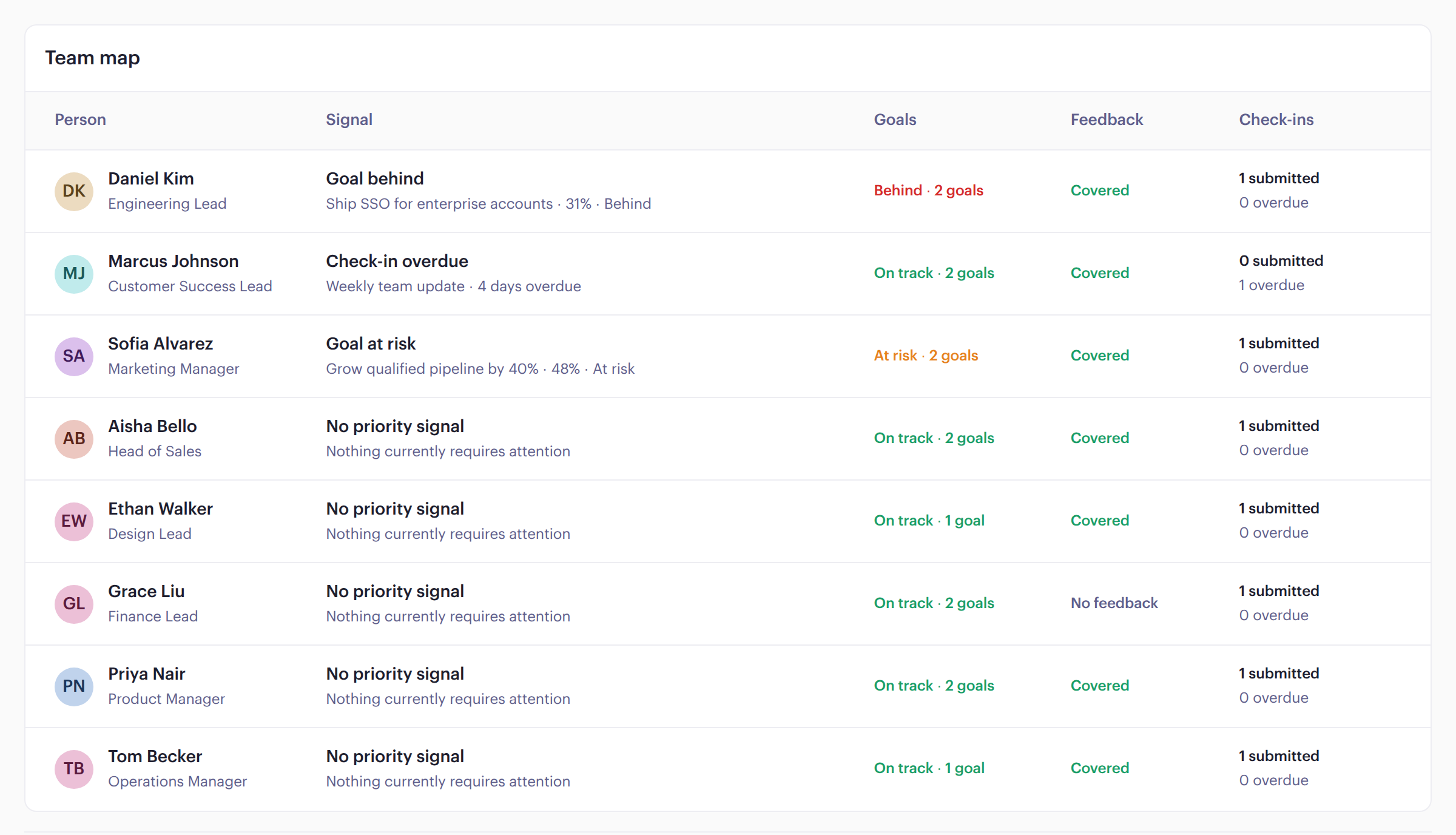
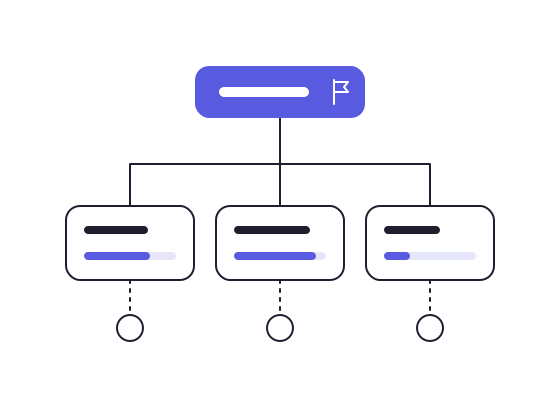
Set company goals and KPIs, align each team’s goals to them, and ask people to reflect on their goals inside their check-in.
Goals →
Ask for feedback, give it in a couple of minutes, and celebrate good work on a praise wall the whole team can see.
Feedback →“I like the mood feature. It’s a very subtle way to give insights into how your staff may be feeling.”
“There’s more clarity to the game plan than before. It is easier to contain a lot of errors and mistakes compared to before Beam, where you realize those things at the end of the process.”
“Personally, it has helped me with my managerial skills.”
15Five and Lattice bundle check-ins into performance-review platforms sold to HR. Beam is for the leader who needs the updates.
15Five and Lattice bill annually, and Lattice’s minimum is $4,000 a year.
Check-ins work by email and in Beam, so they don’t get lost in a busy channel.
Or $8 billed monthly. Check-ins, the Manager Overview, Goals and Feedback. 14-day free trial, no credit card needed.
No. People get an email when a check-in is due and answer in Beam.
Pick questions from the library or write your own, choose who gets it and when, and send.
Yes. Anonymous check-ins show only combined results, and they’re limited to questions and the mood pulse.
Yes. Each person gets the check-in in their own time zone.
They set themselves as out of office in their profile, with a return date. Their check-ins show them as out of office until then, and the cycle carries on for everyone else.