The Overview turns your team’s check-ins, goals and feedback into one page of signals: whose goal is slipping, whose check-in is late and who hasn’t had feedback, without asking anyone.
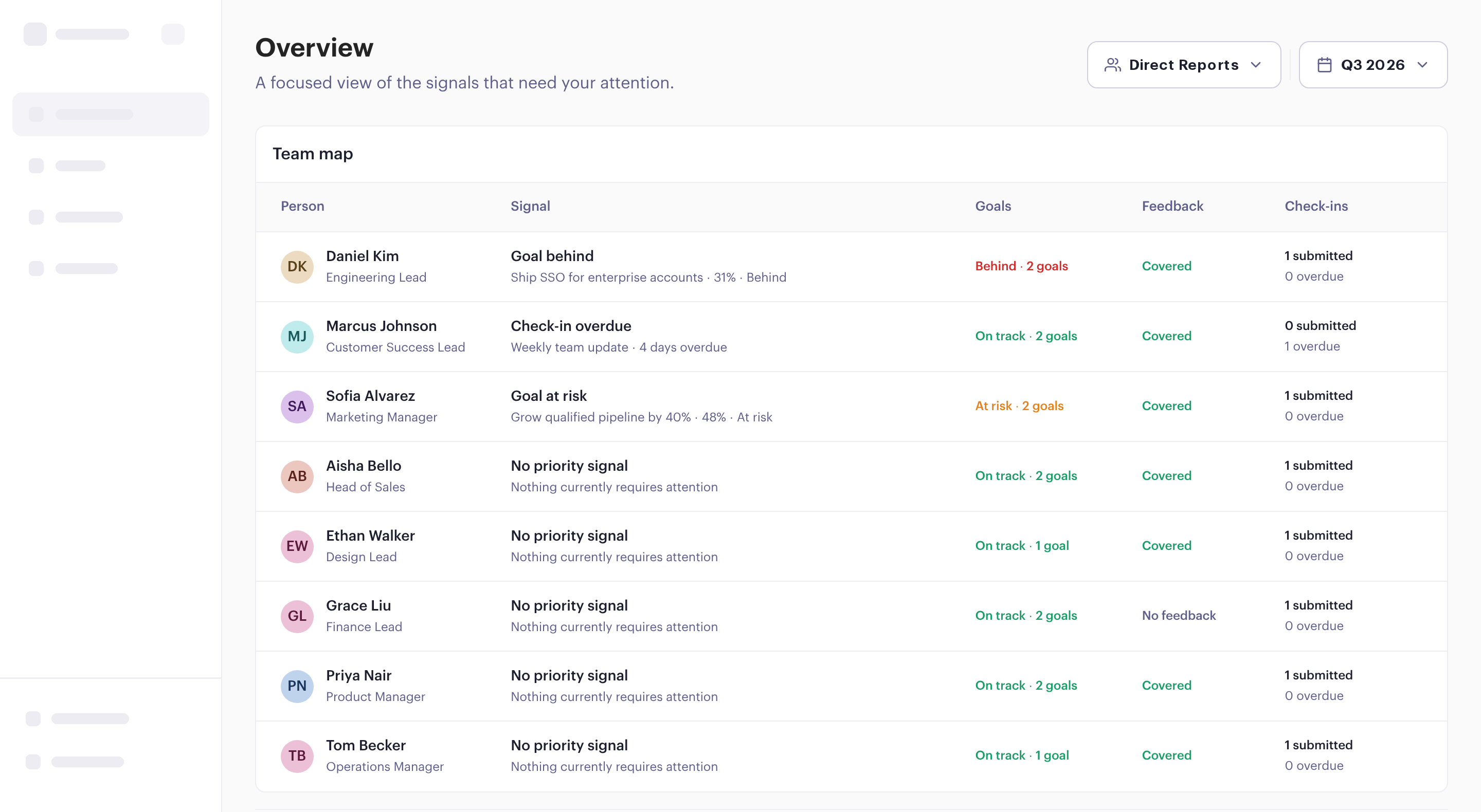
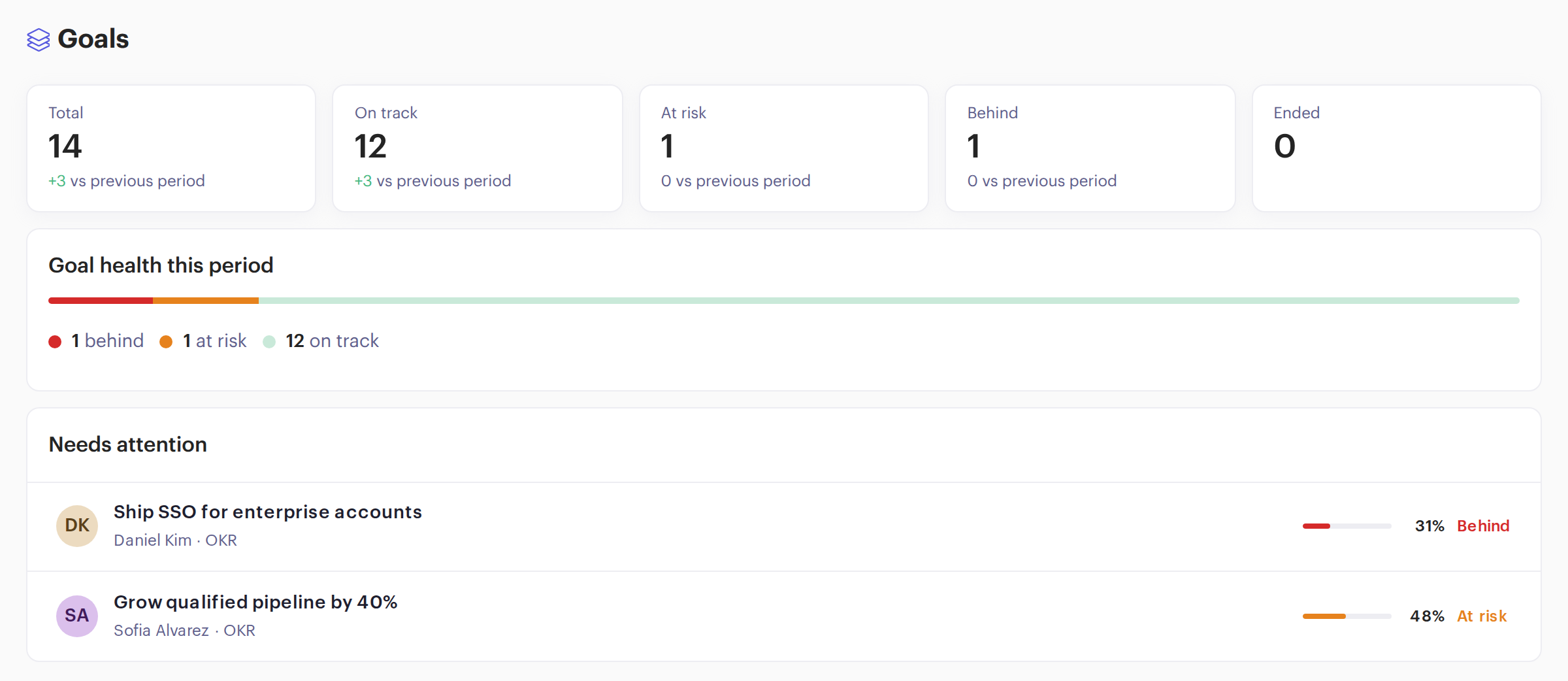
On track, at risk and behind, each compared with the previous period. Below that, the goals that need attention, with who owns them and how far along they are.
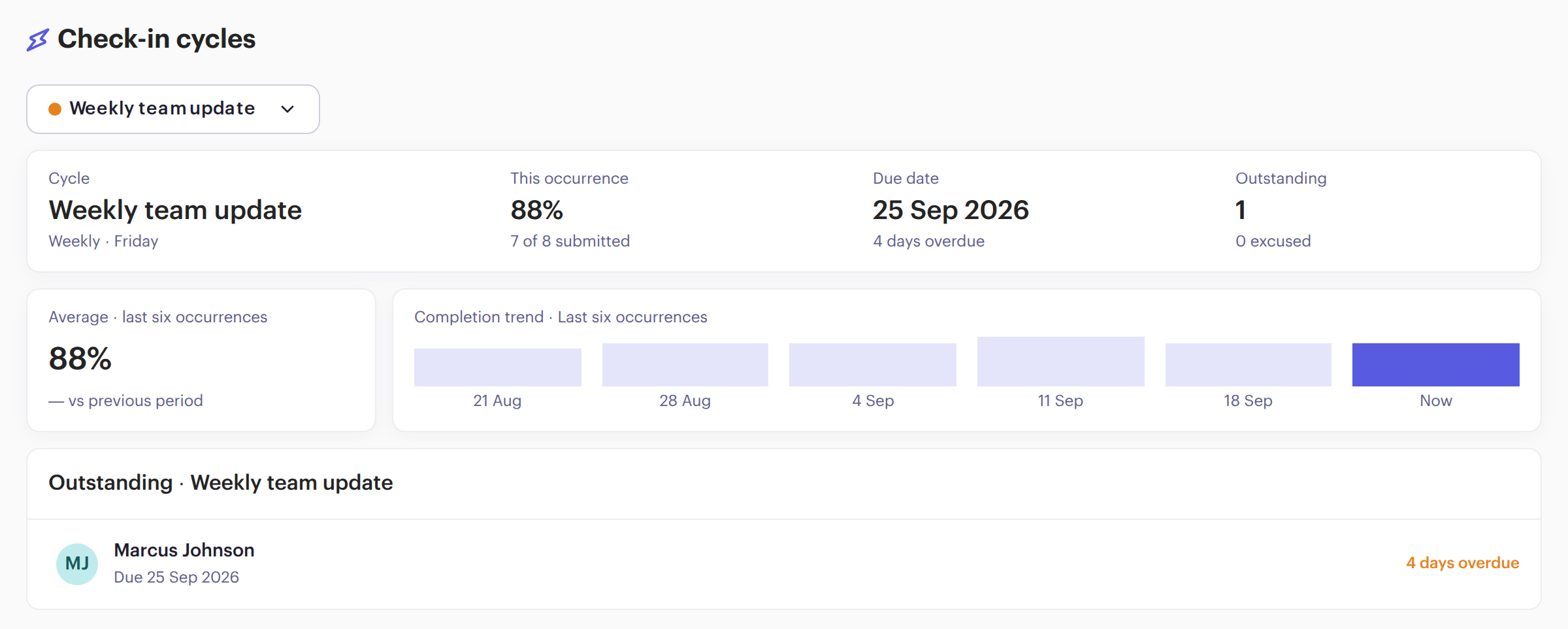
For each cycle: how many people answered this time, when it was due, who’s still outstanding or excused, and how completion has moved over the last six sends.
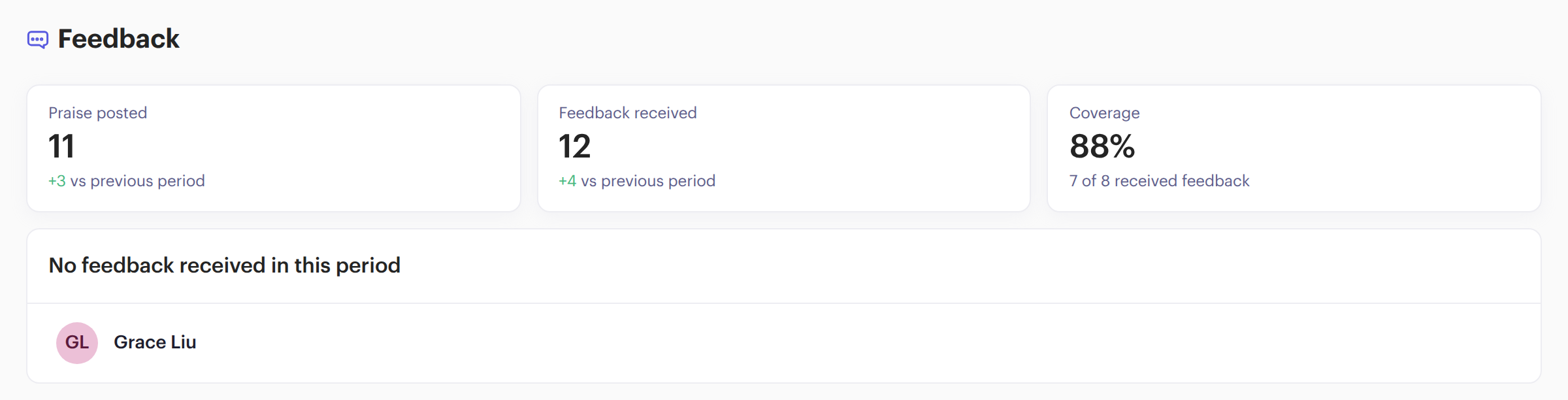
Praise posted, feedback received and the share of your team that got feedback this period, with the names of anyone who didn’t.
Open anyone on the team map for their own report, for the period you pick. Switch to another person from the top of the page.
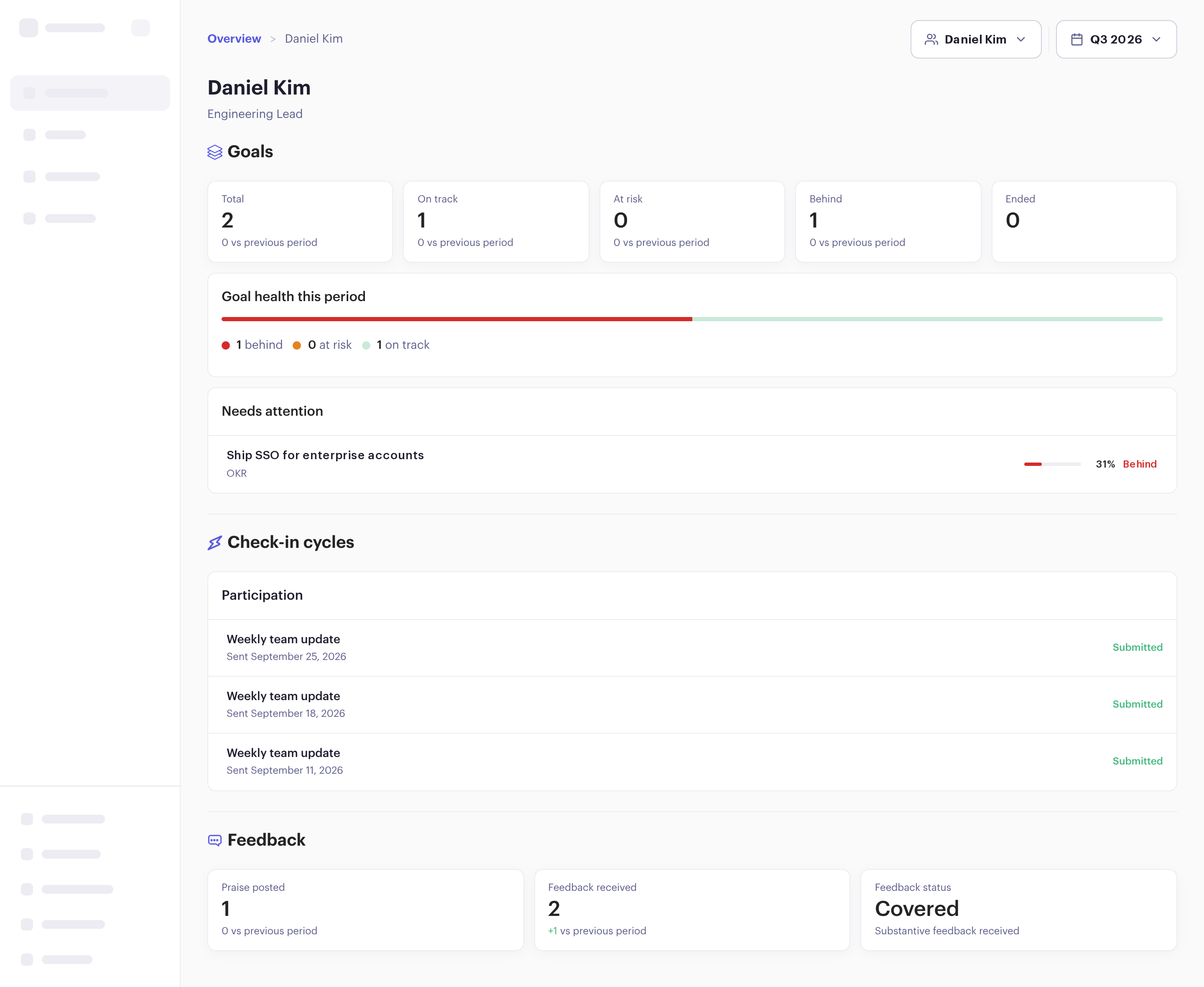
On track, at risk and behind, and the goals that need attention.
Every check-in cycle they’re in, and whether they answered each one.
Praise posted, feedback received, and whether they’re covered this period.
Filter by period, and compare each number with the period before.

A manager sees the people who report to them, and each person’s report.

Admins can look across everyone, or narrow the view to one group within the company.
“There’s more clarity to the game plan than before. It is easier to contain a lot of errors and mistakes compared to before Beam, where you realize those things at the end of the process.”

Something else? Book a demo and we’ll walk you through it with your own team.
Managers see their direct reports. Admins see the whole company, or any group within it. Team members don’t have access.
No. It fills in from the check-ins, goals and feedback your team already uses in Beam. Managers see their team once people are set to report to them.
Yes. Click any name on the team map to open that person’s report, with their goals, check-ins and feedback.
Yes. Pick the period at the top, and each number shows the change from the period before.
Yes. Beam has one plan, and the Overview is part of it.