Set up a check-in cycle once. Beam sends it on schedule, in each person’s own time zone, reminds anyone who hasn’t answered, and puts every update in one feed.
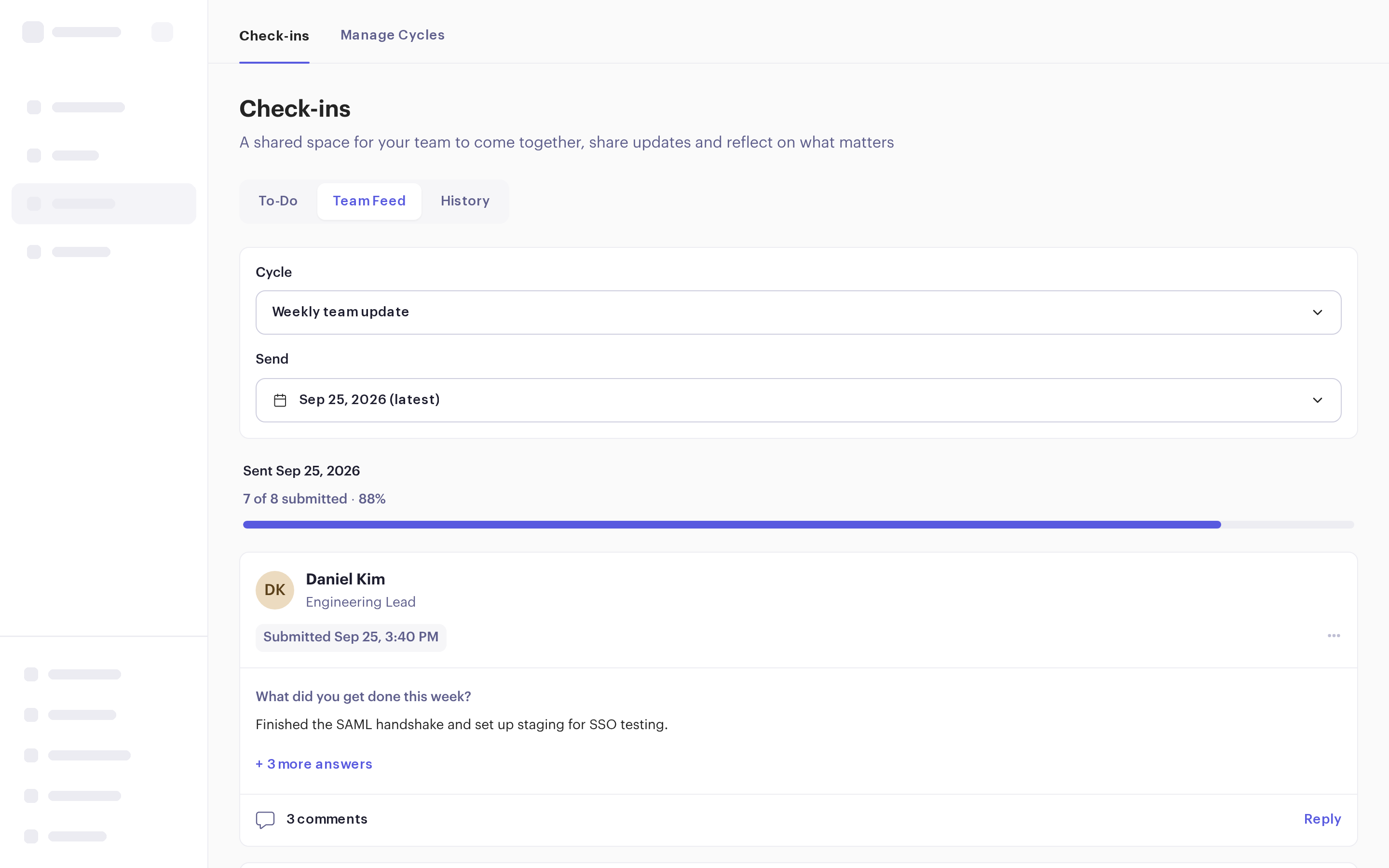
Build it once in Manage Cycles. From then on, Beam sends it, reminds people and collects the answers.
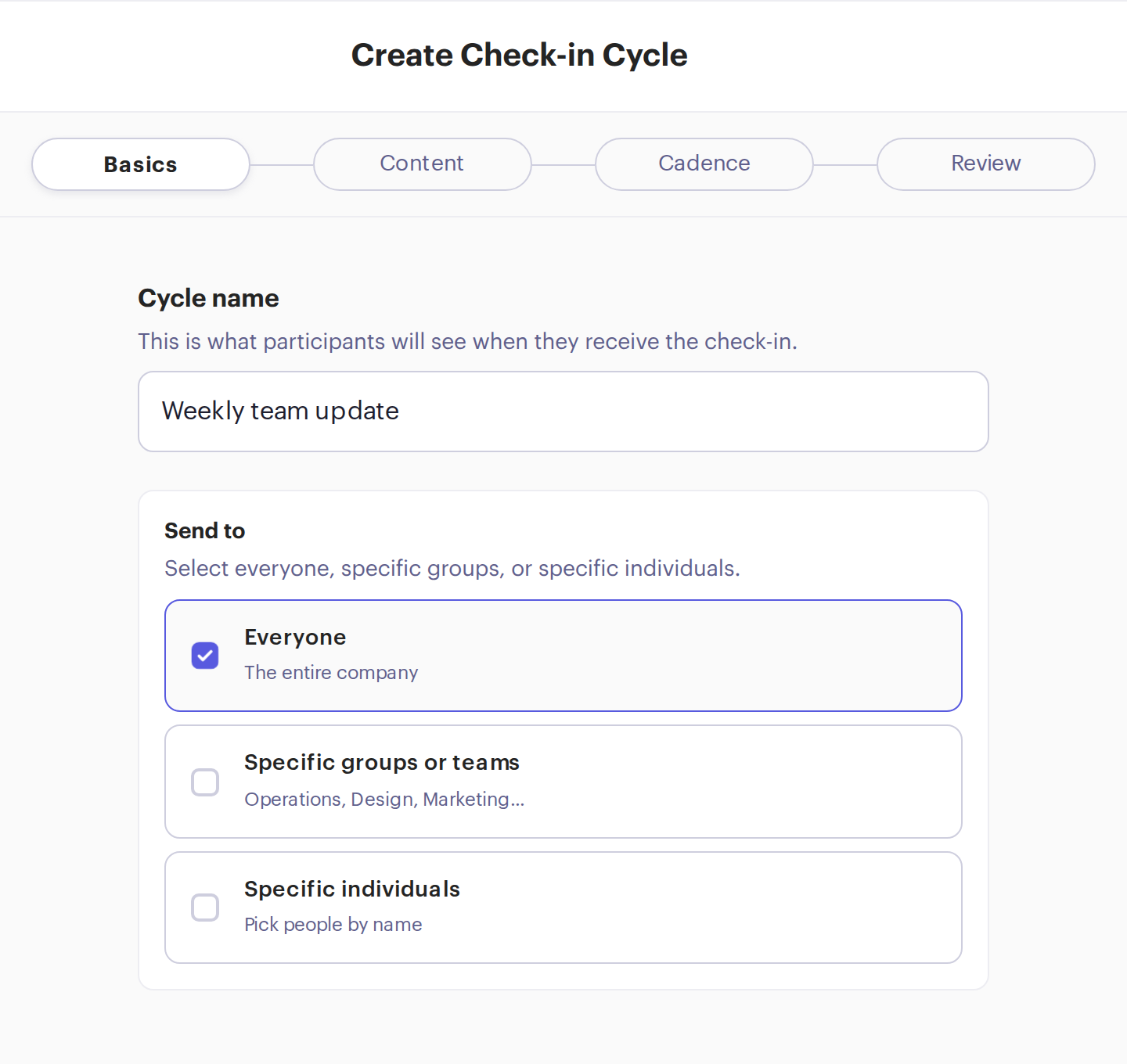
Send it to everyone, to specific groups or teams, or to named people, and exclude anyone who shouldn’t get it.
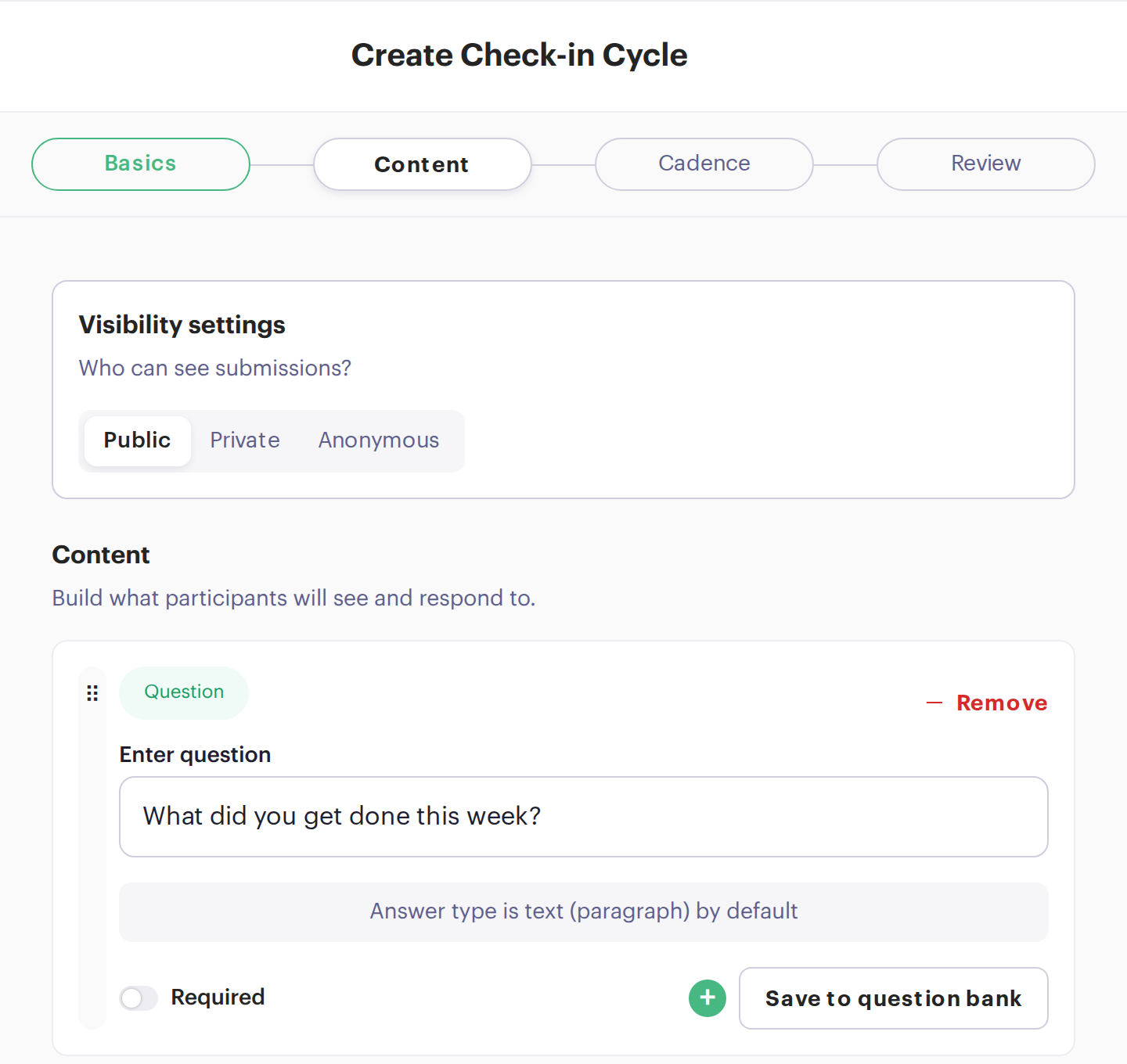
Public answers go to the team feed. Private ones go only to the person’s manager. Anonymous ones show only combined results. Then add questions from the question library or your own, a mood pulse and a goal reflection.
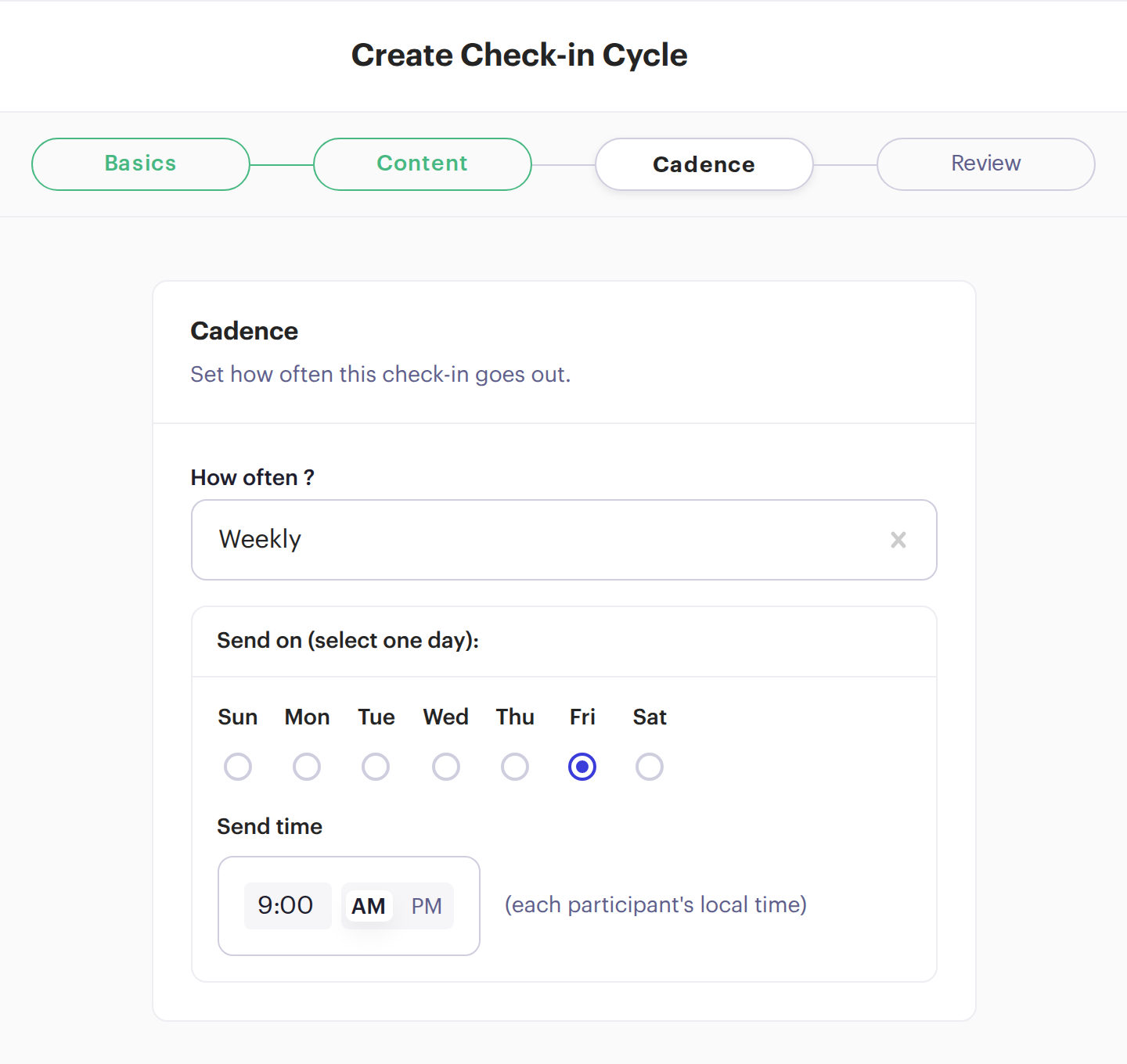
Daily, on selected days, weekly, every two weeks, monthly or once, at the time you choose in each person’s local time. Start now or on a date, and end never, after a number of sends or on a date.
See the whole cycle on one page, edit any part, then launch it or save it as a draft.
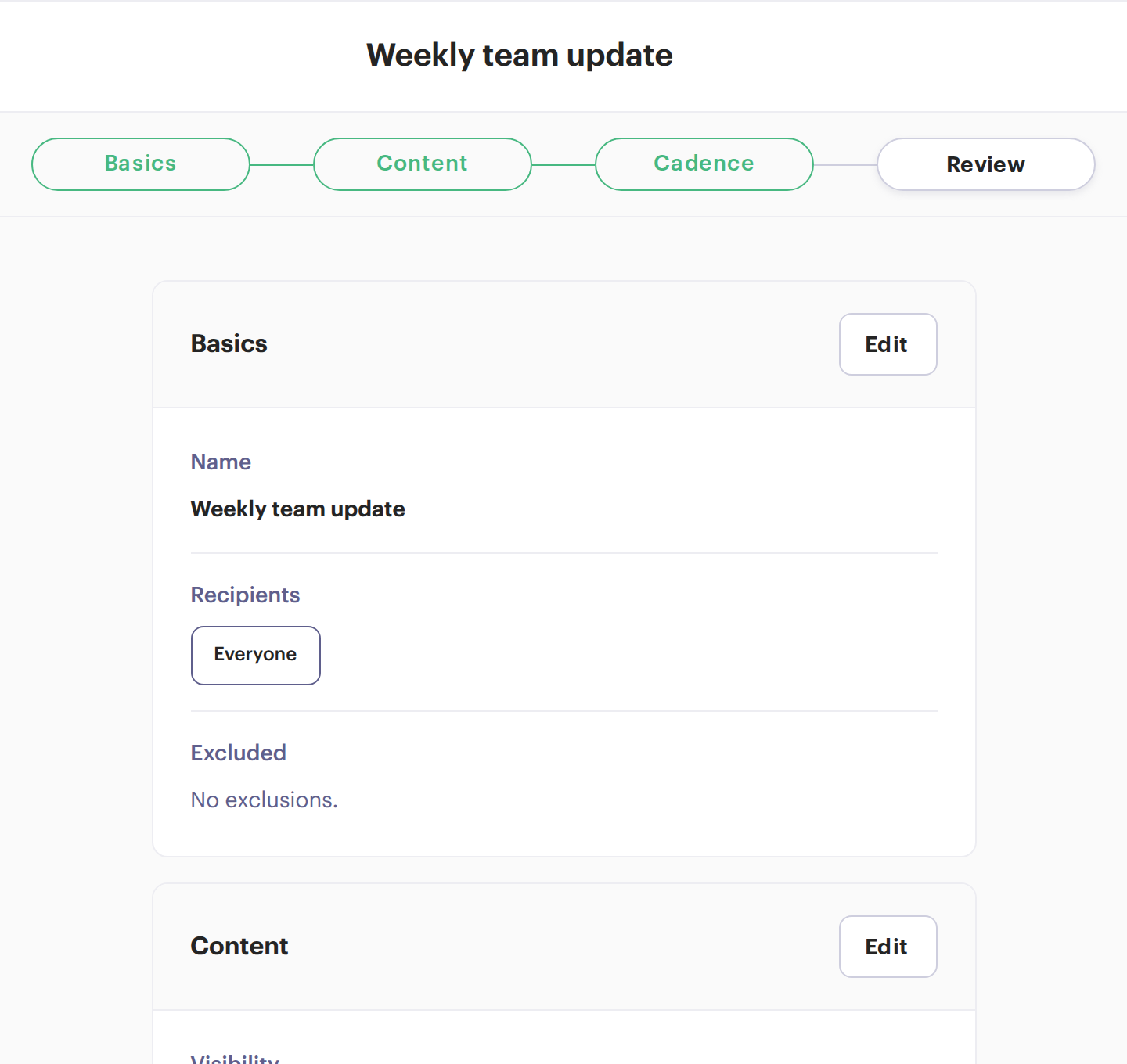
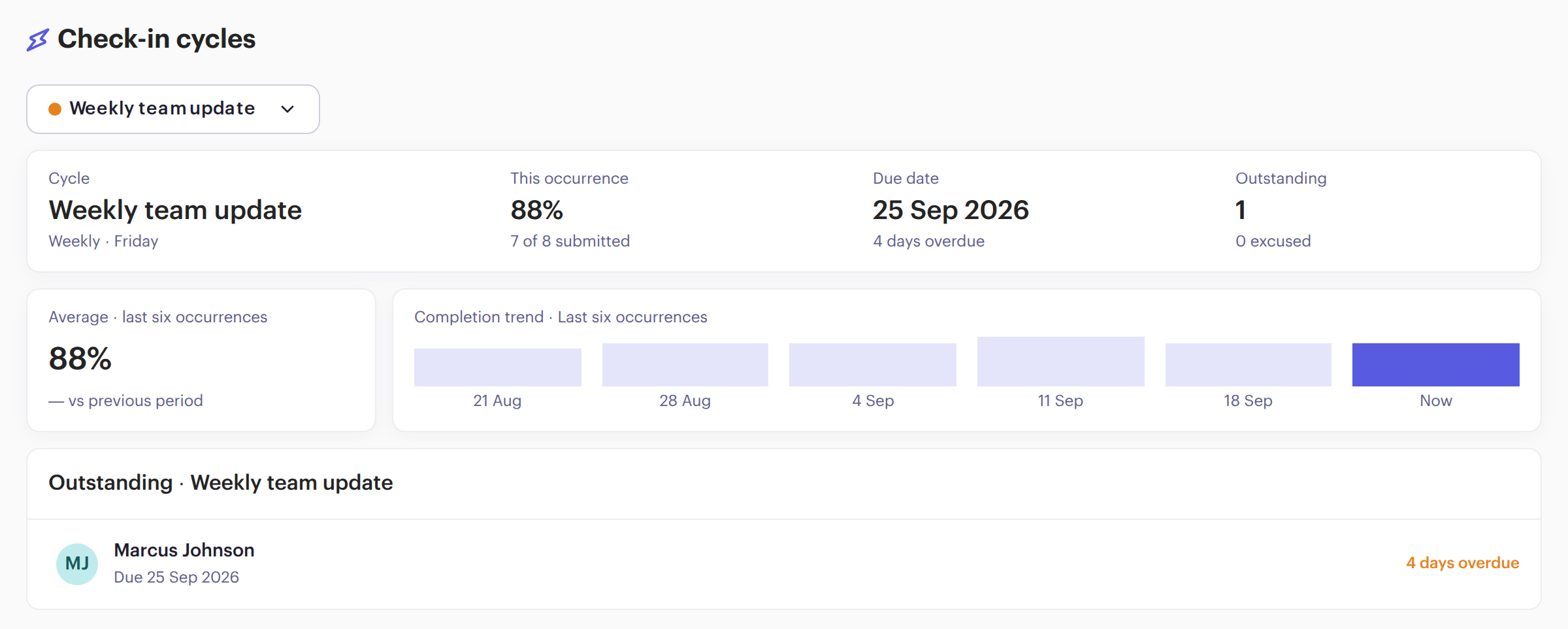
A weekly update for everyone, a daily standup for engineering, a pulse for another team. Each cycle has its own people, questions and schedule, and people can belong to several. See how each one is doing, send by send.
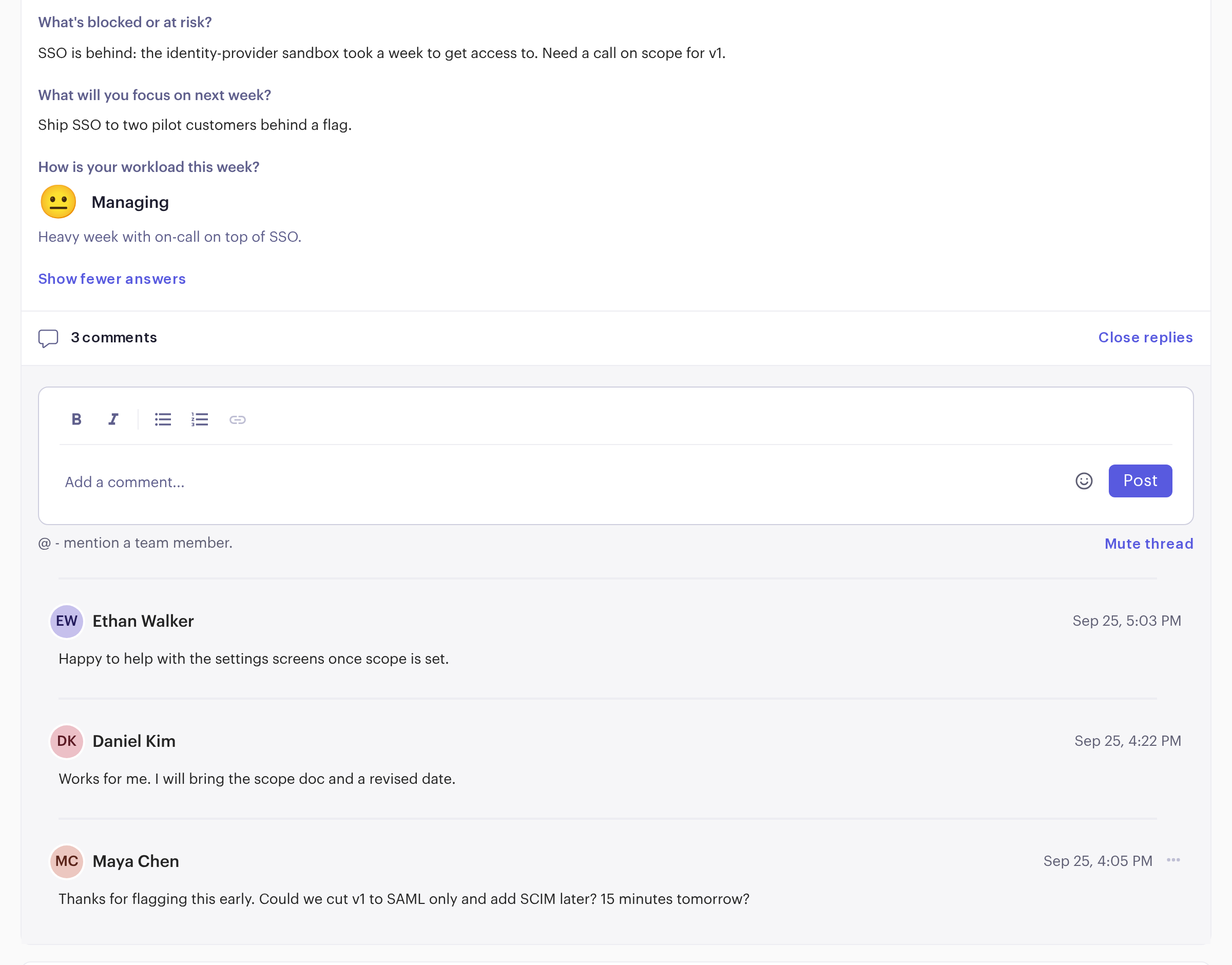
Public check-ins land in a team feed where teammates comment, @mention each other and build on each other’s answers. A blocker gets an answer in writing instead of waiting for the next meeting.
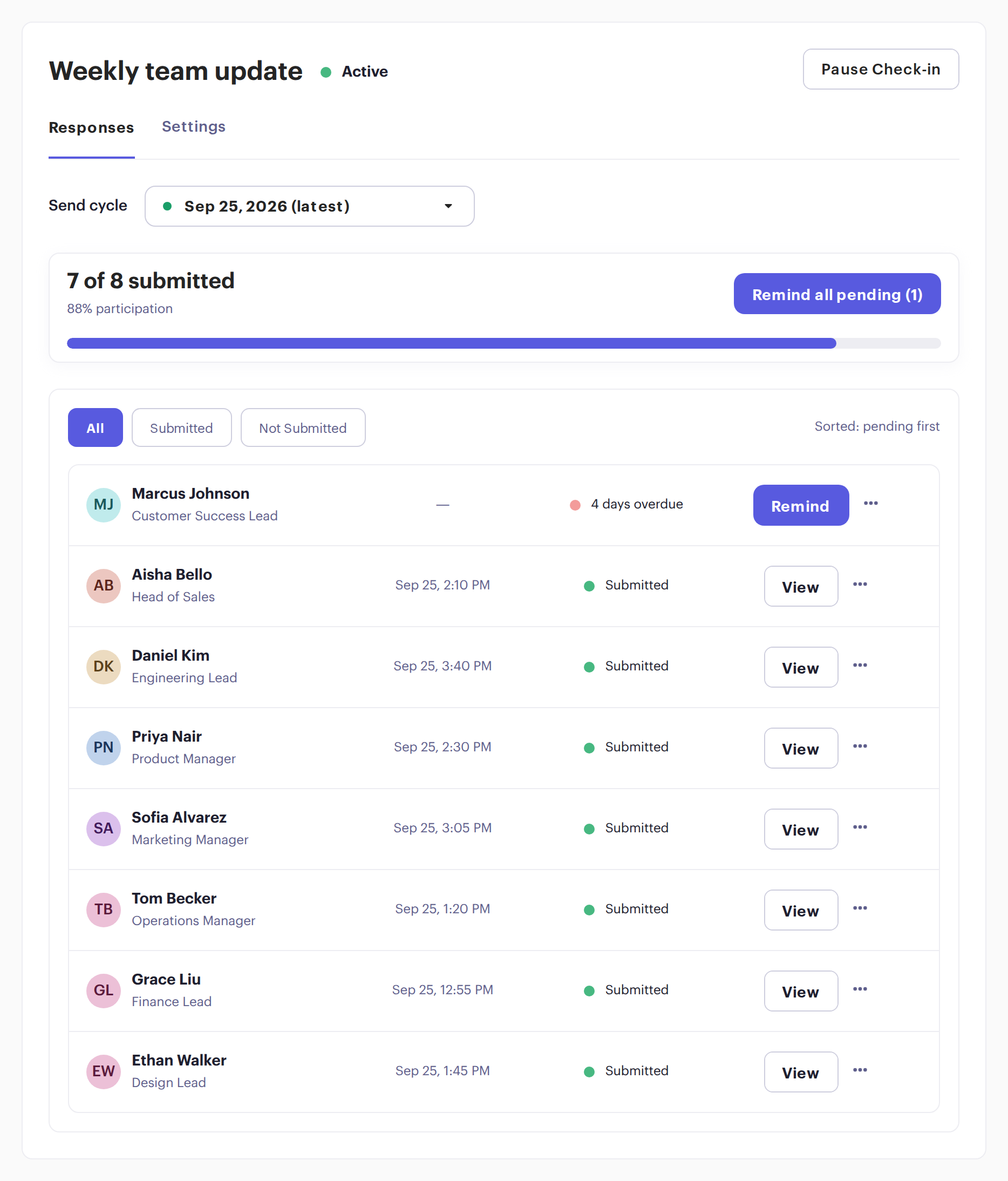
Email reminders go out when a check-in is due and when it’s overdue. See who has submitted each time, and remind anyone missing in one click. People on leave show as out of office until their return date, so you know who is actually missing.
“I like the mood feature. It’s a very subtle way to give insights into how your staff may be feeling.”


What got done, what’s blocked, what’s next. Answers land in the team feed.

A few short questions on the days you choose, instead of a meeting.
Library questions on well-being, motivation and culture, shown only combined.

Every two weeks, a short update on each person’s goals.
Sent only to the people on one project or group.
Something else? Book a demo and we’ll answer your questions.
Using check-ins to track goals? Read Regular Check-ins and Reviews in our free OKR guide.
No. People get an email when a check-in is due and answer in Beam.
Yes. Anonymous check-ins show only combined results, and they’re limited to questions and the mood pulse.
Yes. Each person gets the check-in in their own time zone.
Yes. People can belong to several cycles, each with its own questions and schedule.
They set themselves as out of office in their profile, with a return date. Their check-ins show them as out of office until then, and the cycle carries on for everyone else.